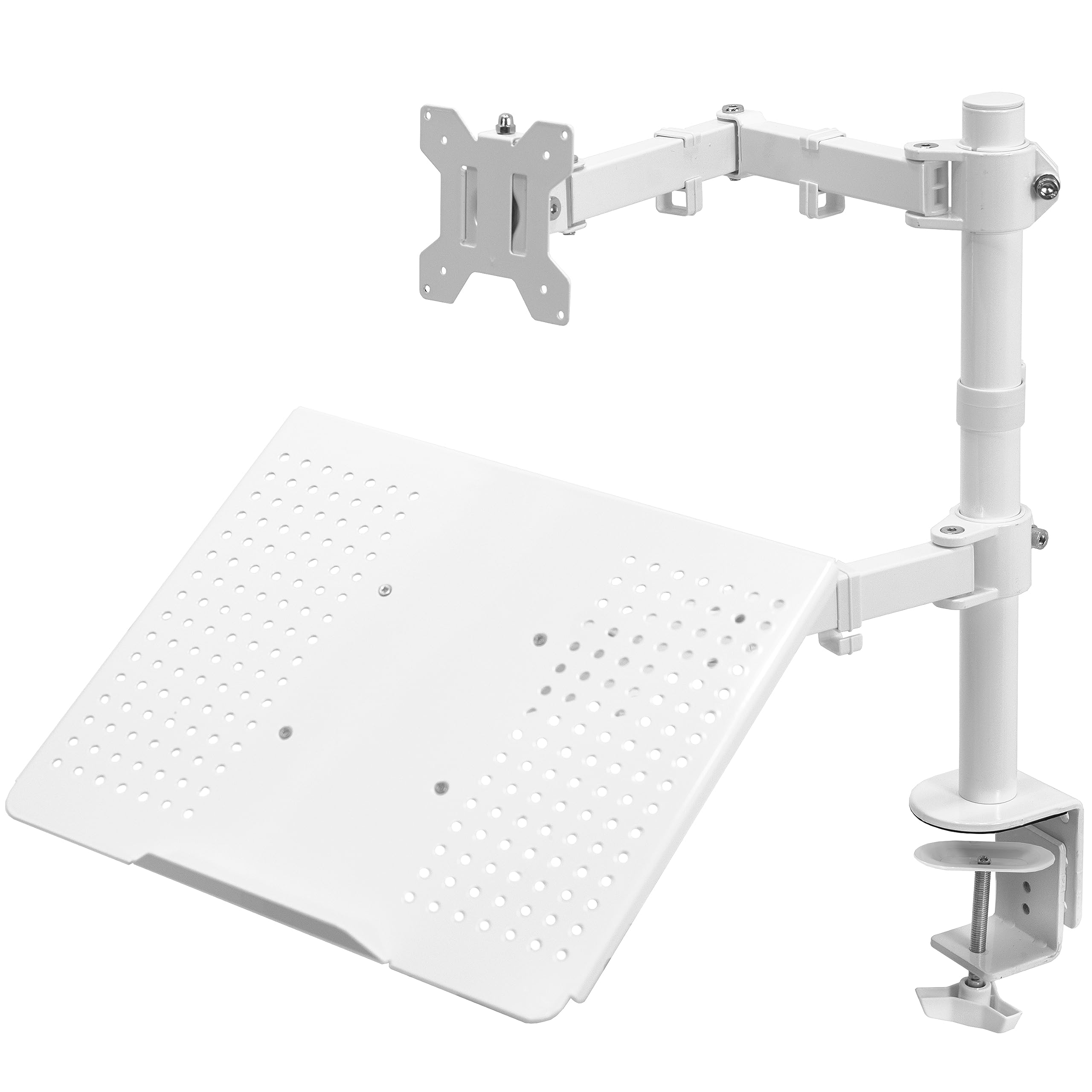
The VIVO Dual Screen Stand pairs an articulating monitor arm with a vented laptop tray, giving a desk setup two distinct screens without requiring a second monitor arm.
This VIVO Dual Screen Stand review looks at its range of adjustment, mounting options, and the fit checks that matter before buying.
VIVO Dual Stand Review Summary
The quick verdict
3,000+ ratings
Read Amazon ReviewsVIVO Dual Screen Stand
A useful fit for desk users who want one adjustable monitor arm and a raised laptop tray in a compact workstation setup.
- Monitor fit: supports screens from 13 to 32 inches and up to 22 pounds, with 75 × 75 mm or 100 × 100 mm VESA mounting holes.
- Laptop tray: vented tray accommodates laptops up to 17 inches.
- Articulating monitor arm: offers +15° to −15° tilt, 180° swivel, 360° rotation, and height adjustment along the center pole.
- Screen orientation: the monitor can be positioned in portrait or landscape.

Pros
- Combines a monitor arm and laptop tray in one desk-mounted setup.
- Supports a broad monitor size range for a single-screen mount, subject to weight and VESA compatibility.
Consider before buying
- The monitor’s 22-pound maximum and VESA pattern requirements narrow compatibility; check both against the display you plan to use.
- The C-clamp and grommet options have different thickness limits, so measure the mounting area and check access underneath the desk.
Read the full review summary
This stand is designed for a monitor-and-laptop workspace: the monitor attaches to a VESA plate, while the tray supports a laptop up to 17 inches.
The monitor arm can tilt, swivel, rotate between portrait and landscape, and move along the center pole, so the setup can be arranged around different desk tasks.
Its strongest appeal is the combination of monitor positioning and laptop elevation in one desk-mounted unit.
It suits people who use a laptop beside an external display and want to free some desktop area; before choosing it, confirm the monitor’s size, weight, and VESA pattern, along with the desk’s thickness and mounting clearance.
The buying factors
VIVO Dual Stand Scorecard
Editorial scores reflect listed features and buyer fit; they are not laboratory measurements or customer ratings.
Monitor compatibility
The stated range covers 13- to 32-inch monitors weighing up to 22 pounds, provided they use a 75 × 75 mm or 100 × 100 mm VESA pattern.
Laptop integration
A vented tray accommodates laptops up to 17 inches, making the stand useful for a laptop-plus-monitor arrangement.
Monitor positioning
Tilt, swivel, full rotation, and height adjustment offer several ways to set the viewing angle and screen orientation.
Mounting flexibility
The package supports a C-clamp or optional grommet mounting, with different maximum desk thicknesses for each method.
Desk organization
Detachable cable clips on the arms and center pole help route power and AV cables along the mount.
Setup convenience
Detachable VESA plates and included assembly hardware are intended to simplify mounting and assembly.
Key Features and Specifications of VIVO Dual Stand
- Monitor fit: supports screens from 13 to 32 inches and up to 22 pounds, with 75 × 75 mm or 100 × 100 mm VESA mounting holes.
- Laptop tray: vented tray accommodates laptops up to 17 inches.
- Articulating monitor arm: offers +15° to −15° tilt, 180° swivel, 360° rotation, and height adjustment along the center pole.
- Screen orientation: the monitor can be positioned in portrait or landscape.
- Two mounting methods: a heavy-duty C-clamp fits surfaces up to 3.4 inches thick; the optional grommet mount fits surfaces up to 3 inches thick.
- Cable routing: detachable clips on the arms and center pole help organize power and AV cables.
- Assembly: detachable VESA plates and mounting hardware are included.
Pros and Cons of VIVO Dual Stand
Pros
- Combines a monitor arm and laptop tray in one desk-mounted setup.
- Supports a broad monitor size range for a single-screen mount, subject to weight and VESA compatibility.
- Offers multiple monitor adjustments, including portrait or landscape orientation.
- Provides clamp and grommet mounting options for different desk layouts.
- Cable clips help keep cords routed along the stand.
Consider before buying
- The monitor’s 22-pound maximum and VESA pattern requirements narrow compatibility; check both against the display you plan to use.
- The C-clamp and grommet options have different thickness limits, so measure the mounting area and check access underneath the desk.
- The laptop tray is sized for laptops up to 17 inches; users with larger devices should verify fit before buying.
Who Should Buy VIVO Dual Stand?
Good fit
Consider the VIVO Dual Screen Stand if you regularly use a laptop alongside an external monitor and want both screens elevated from the desk.
The tray can keep the laptop available as a second display or work surface, while the arm gives the external monitor independent tilt, swivel, rotation, and height adjustment.
It is also a practical candidate when you need to choose between clamping to the desk edge and using a grommet mount.
Check your desk thickness, the position of any underside structure, and the clearance around the monitor before settling on the mounting method and screen position.
Before ordering, verify the monitor’s VESA hole spacing and weight as well as the laptop’s dimensions. Those checks determine whether the stand’s two display positions will suit your equipment.
Who should skip it
Skip this design if you need a mount for two external monitors: it provides one monitor arm and one laptop tray.
It also may not fit a setup whose monitor exceeds the stated screen or weight limits, or whose mounting pattern and desk thickness fall outside the supported dimensions.
If your laptop is larger than 17 inches, measure its footprint against the usable tray area before choosing this stand.
How the VIVO Dual Stand Fits a Laptop-and-Monitor Desk
A combined screen arrangement
The stand is purpose-built for one external monitor plus one laptop, rather than two monitor panels.
That pairing can work well for multitasking because each screen has a different support: a VESA-mounted arm for the monitor and a tray for the laptop.
It is a compact way to organize those devices around one desk mount, provided the laptop falls within the tray’s size limit.
Adjustment range for everyday tasks
The monitor arm’s tilt, swivel, rotation, and center-pole height adjustment let you change the display’s angle and orientation. Portrait positioning may be useful for documents or long pages, while landscape remains suited to wide content.
The listed tilt range is more modest than the swivel and rotation range, so buyers who prioritize steep screen angling should consider how much tilt their preferred position requires.
Mounting and desk fit
The C-clamp supports a surface up to 3.4 inches thick, while the optional grommet mount supports one up to 3 inches thick.
These are useful alternatives for different desk layouts, but thickness alone is not the only fit check: make sure the clamp can reach the desk edge or that a grommet opening and underside access are available for the chosen installation.
Compatibility and cable routing
A compatible monitor needs to meet the stated screen-size and weight limits and have 75 × 75 mm or 100 × 100 mm VESA holes.
Once installed, detachable clips along the arms and center pole can keep power and AV cables following the mount as the monitor is positioned.
They support a tidier route, though the final arrangement will depend on cable length and where the connected devices sit.
Alternatives to VIVO Dual Stand
Computer Monitor Arms alternative
60,000+ ratings
Read Amazon ReviewsVIVO Dual Monitor Desk Mount STAND-V002
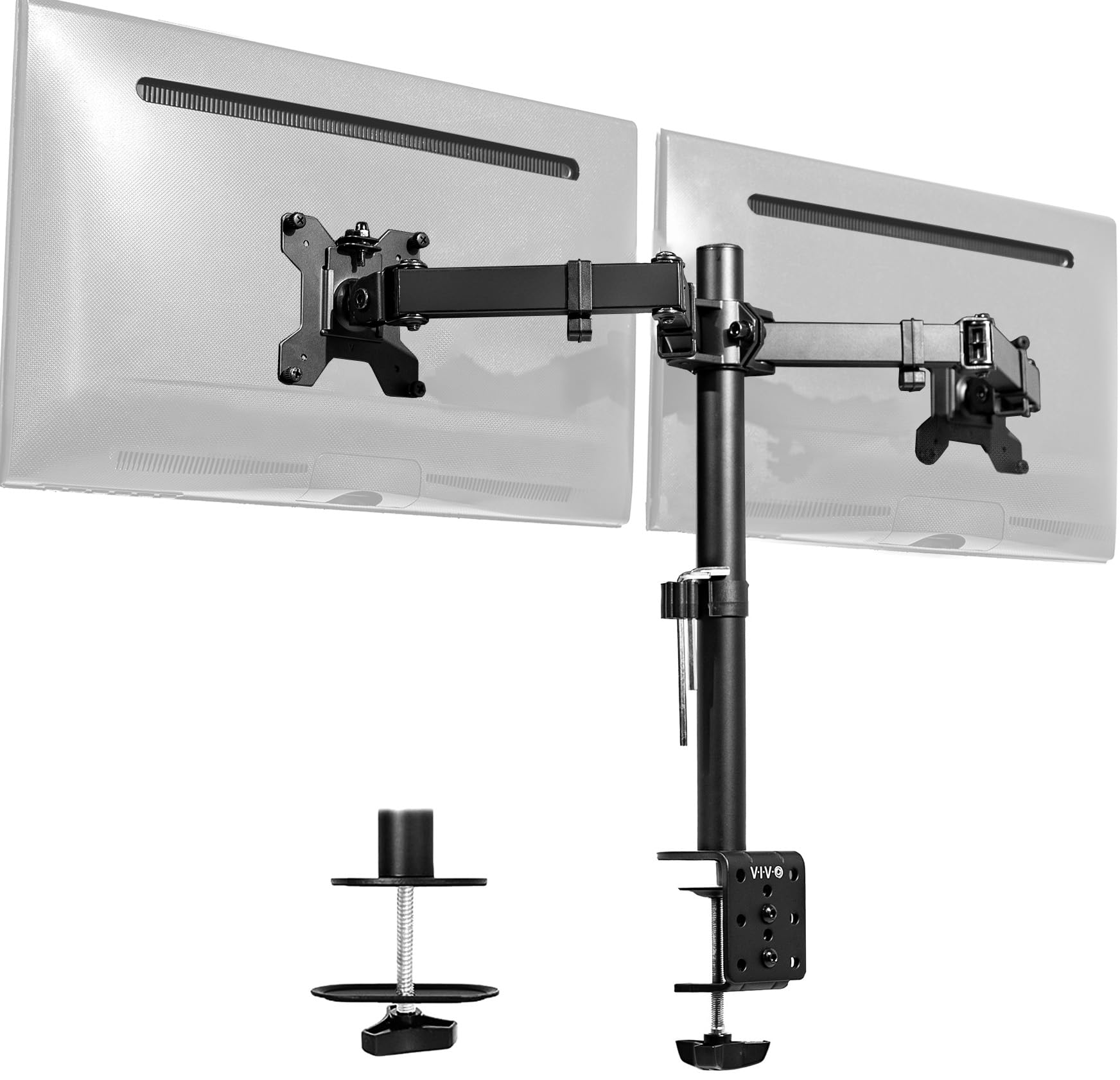
Choose the Dual Screen Stand when you want a laptop tray alongside one monitor. Consider the STAND-V002 if your intended setup uses two external monitors instead of a laptop tray.
- This VIVO mount holds two monitors, each up to 30 inches and 22 pounds, and offers tilt, swivel, rotation, and C-clamp or grommet mounting.
- The VIVO Dual Screen Stand supports one external monitor and adds a tray for a laptop up to 17 inches.
Computer Monitor Arms alternative
34,000+ ratings
Read Amazon ReviewsHUANUO FlowLift Dual Monitor Stand
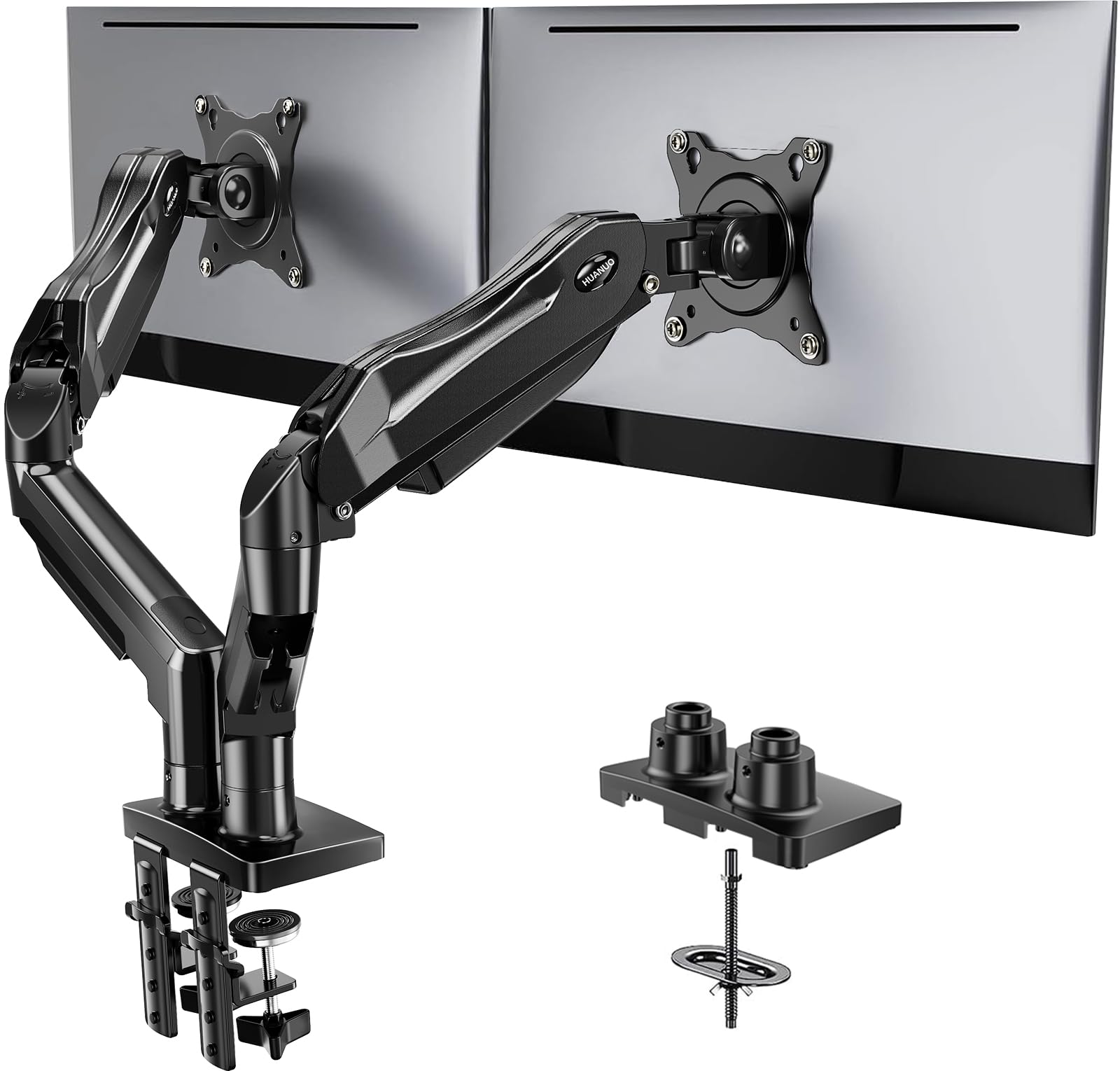
The VIVO is the closer fit for a laptop-and-monitor workstation. The HUANUO is aimed at two-monitor users who want a wider listed tilt range, provided their desk and displays meet its stated requirements.
- The HUANUO FlowLift holds two monitors from 13 to 32 inches, each weighing 4.4 to 19.8 pounds, with 75 × 75 mm or 100 × 100 mm VESA patterns.
- Its arms offer +85°/−50° tilt, ±90° swivel, and 360° rotation; its desk mounting guidance specifies wooden desks 0.59 to 3.54 inches thick.
- The VIVO stand pairs a single monitor arm with a laptop tray and supports monitors up to 32 inches and 22 pounds.
Is VIVO Dual Stand Worth It?
The VIVO Dual Screen Stand is worth considering for a desk that regularly combines a laptop with one external monitor.
Its tray, adjustable arm, cable clips, and choice of mounting methods address that specific arrangement while keeping the setup on one stand.
Buy it after confirming the monitor’s VESA pattern, dimensions, and weight, and checking the desk against the clamp or grommet limits.
If your goal is two external monitors or a laptop larger than the tray’s stated limit, this configuration is not the right match.
Your review at a glance
3,000+ ratings
Read Amazon ReviewsVIVO Dual Screen Stand
A useful fit for desk users who want one adjustable monitor arm and a raised laptop tray in a compact workstation setup.
- Monitor fit: supports screens from 13 to 32 inches and up to 22 pounds, with 75 × 75 mm or 100 × 100 mm VESA mounting holes.
- Laptop tray: vented tray accommodates laptops up to 17 inches.
- Articulating monitor arm: offers +15° to −15° tilt, 180° swivel, 360° rotation, and height adjustment along the center pole.
- Screen orientation: the monitor can be positioned in portrait or landscape.